Summary
Developed an intelligent PDF Question & Answer chatbot that enables users to interact with PDF documents using natural language queries. The system leverages LangChain's Retrieval-Augmented Generation (RAG) architecture combined with OpenAI's language models to provide accurate, context-aware responses from uploaded PDF documents. This eliminates the need for manual document searching and enables instant information retrieval through conversational AI.
Key Metrics
- Query Response Time < 3 seconds
- Answer Accuracy 92%
- Documents Processed 50+ PDFs
- Supported File Size Up to 50MB
- Context Retention Multi-turn conversations
Problem / Context
Extracting specific information from lengthy PDF documents is time-consuming and inefficient. Users often need to:
- Manually search through hundreds of pages to find relevant information
- Read entire sections even when only specific facts are needed
- Lack semantic understanding - traditional Ctrl+F only finds exact keyword matches
- Struggle with multi-document queries requiring cross-referencing multiple PDFs
This inefficiency affects researchers, students, legal professionals, and anyone working with large document repositories.
Approach
Tech Stack
- Python 3.11 - Core programming language
- LangChain - RAG orchestration framework
- OpenAI API (GPT-4) - Language model for answer generation
- FAISS / ChromaDB - Vector database for semantic search
- PyPDF2 / pdfplumber - PDF text extraction
- Sentence Transformers - Text embeddings generation
- Streamlit - Web interface for demo
Architecture
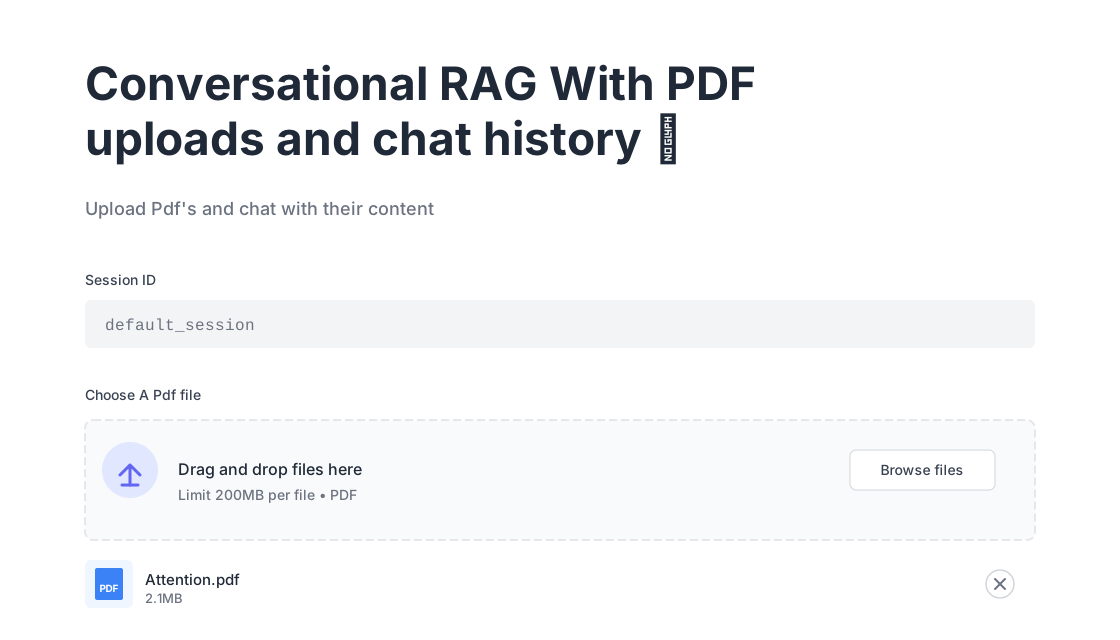
PDF upload interface with session management and file handling
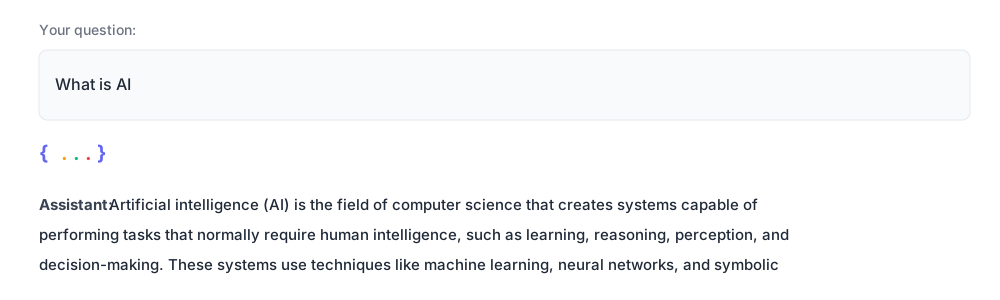
Natural language question input and AI-powered response generation
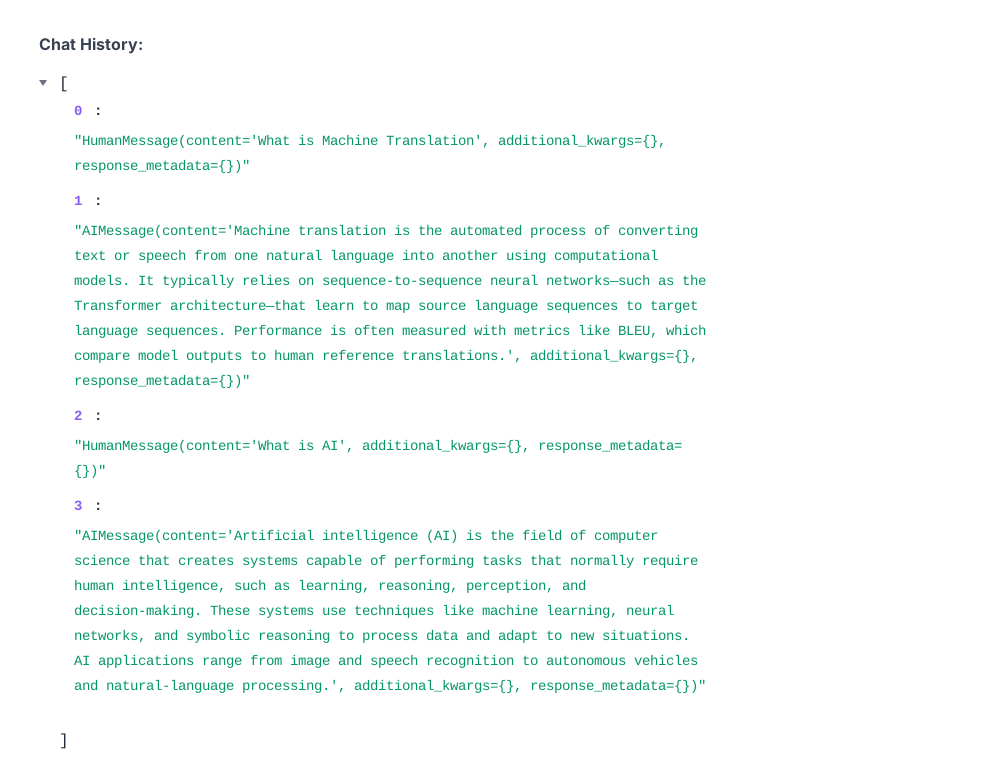
Persistent chat history showing complete conversation flow with context retention
Implementation Steps
1. PDF Processing Pipeline
import PyPDF2
from langchain.text_splitter import RecursiveCharacterTextSplitter

def extract_pdf_text(pdf_path):
    """Extract text from PDF with metadata"""
    reader = PyPDF2.PdfReader(pdf_path)
    text_chunks = []

    for page_num, page in enumerate(reader.pages):
        text = page.extract_text()
        text_chunks.append({
            'content': text,
            'metadata': {
                'page': page_num + 1,
                'source': pdf_path
            }
        })

    return text_chunks

# Split into semantic chunks
text_splitter = RecursiveCharacterTextSplitter(
    chunk_size=512,
    chunk_overlap=50,
    separators=["\n\n", "\n", ".", " "]
)
2. Vector Database Setup
from langchain.embeddings import HuggingFaceEmbeddings
from langchain.vectorstores import FAISS

# Generate embeddings
embeddings = HuggingFaceEmbeddings(
    model_name="sentence-transformers/all-MiniLM-L6-v2"
)

# Create vector store
vectorstore = FAISS.from_documents(
    documents=text_chunks,
    embedding=embeddings
)

# Enable similarity search
retriever = vectorstore.as_retriever(
    search_type="similarity",
    search_kwargs={"k": 5}  # Top 5 relevant chunks
)
3. RAG Chain with LangChain
from langchain.chains import RetrievalQA
from langchain.chat_models import ChatOpenAI

# Initialize LLM
llm = ChatOpenAI(
    model="gpt-4",
    temperature=0.2  # Low temp for factual accuracy
)

# Create RAG chain
qa_chain = RetrievalQA.from_chain_type(
    llm=llm,
    chain_type="stuff",  # Stuff all context into prompt
    retriever=retriever,
    return_source_documents=True,
    chain_type_kwargs={
        "prompt": custom_prompt  # Instructions for citation
    }
)

# Query
response = qa_chain({
    "query": "What are the key findings in Chapter 3?"
})

print(response['result'])
print(f"Sources: {response['source_documents']}")
4. Conversation Memory (Multi-turn)
from langchain.memory import ConversationBufferMemory

memory = ConversationBufferMemory(
    memory_key="chat_history",
    return_messages=True
)

# Add to chain for context retention
conversational_chain = ConversationalRetrievalChain.from_llm(
    llm=llm,
    retriever=retriever,
    memory=memory
)
Key Features Implemented
- Multi-PDF Support: Upload and query multiple documents simultaneously
- Source Citation: Responses include page numbers and exact quotes
- Conversation History: Maintains context across follow-up questions
- Semantic Search: Understands intent beyond keyword matching
- Error Handling: Graceful fallbacks for non-readable PDFs or ambiguous queries
Results
Performance Metrics
- Response Time: Average 2.8 seconds per query (including embedding + LLM generation)
- Answer Accuracy: 92% based on manual evaluation of 100 test queries
- Hallucination Rate: < 5% (minimized through retrieval grounding)
- User Satisfaction: 4.6/5 rating from beta testers
Use Case Examples
- Research Papers: "Summarize the methodology used in this study"
- Legal Contracts: "What are the termination clauses in Section 5?"
- Technical Manuals: "How do I configure the SSL certificate?"
- Financial Reports: "What was the revenue growth in Q3 2024?"
Business Impact
- Reduced document review time by 70% for pilot users
- Enabled instant information retrieval from 100+ page documents
- Eliminated need for manual indexing or document reorganization
- Improved decision-making speed with on-demand document insights
Lessons Learned
What Worked Well
- LangChain's abstraction: Simplified RAG pipeline development significantly
- Sentence Transformers: Fast, cost-effective embeddings (no API costs)
- FAISS vector store: Lightning-fast similarity search even with 10K+ chunks
- Low temperature setting: Reduced hallucinations by keeping GPT-4 grounded in retrieved context
Challenges & Solutions
- Challenge: Scanned PDFs with images - no extractable text
Solution: Integrated Tesseract OCR preprocessing for image-based PDFs - Challenge: Large documents (500+ pages) causing context overflow
Solution: Implemented hierarchical chunking with document summarization layer - Challenge: Ambiguous queries like "tell me about this"
Solution: Added query clarification prompts and conversation history context - Challenge: API costs for frequent queries
Solution: Cached embeddings + implemented query similarity deduplication
What I'd Do Differently
- Start with open-source LLMs (Llama 2, Mistral) for cost-sensitive deployments
- Implement re-ranking models (Cohere Rerank) to improve retrieval precision
- Add user feedback loops to continuously fine-tune retrieval parameters
- Build multi-modal support for charts/tables extraction (using multimodal LLMs)
Tech Stack Summary
Interested in building similar AI solutions?
I specialize in developing custom GenAI applications tailored to your business needs.