Gmail AI Auto-Labeler
An n8n workflow that watches incoming Gmail messages, uses Google Gemini to classify them, and automatically applies the right label for high-priority, work-related, or promotional emails.
What This Workflow Does
This workflow is built for inbox triage. Instead of manually sorting every email, the workflow evaluates the message content with Gemini and applies a clean label system so priority mail is surfaced immediately and low-value mail stays out of the way.
Priority Detection
High-priority mail is separated quickly so important requests are not buried under the rest of the inbox.
Work Mail Routing
Internal and client-related messages are tagged as work-related for better follow-up and focus.
Promotion Sorting
Promotional mail gets a dedicated label so it can be reviewed later instead of interrupting deep work.
Always-On Automation
The workflow runs continuously, so the inbox stays organized even when new mail arrives all day.
Workflow Flow
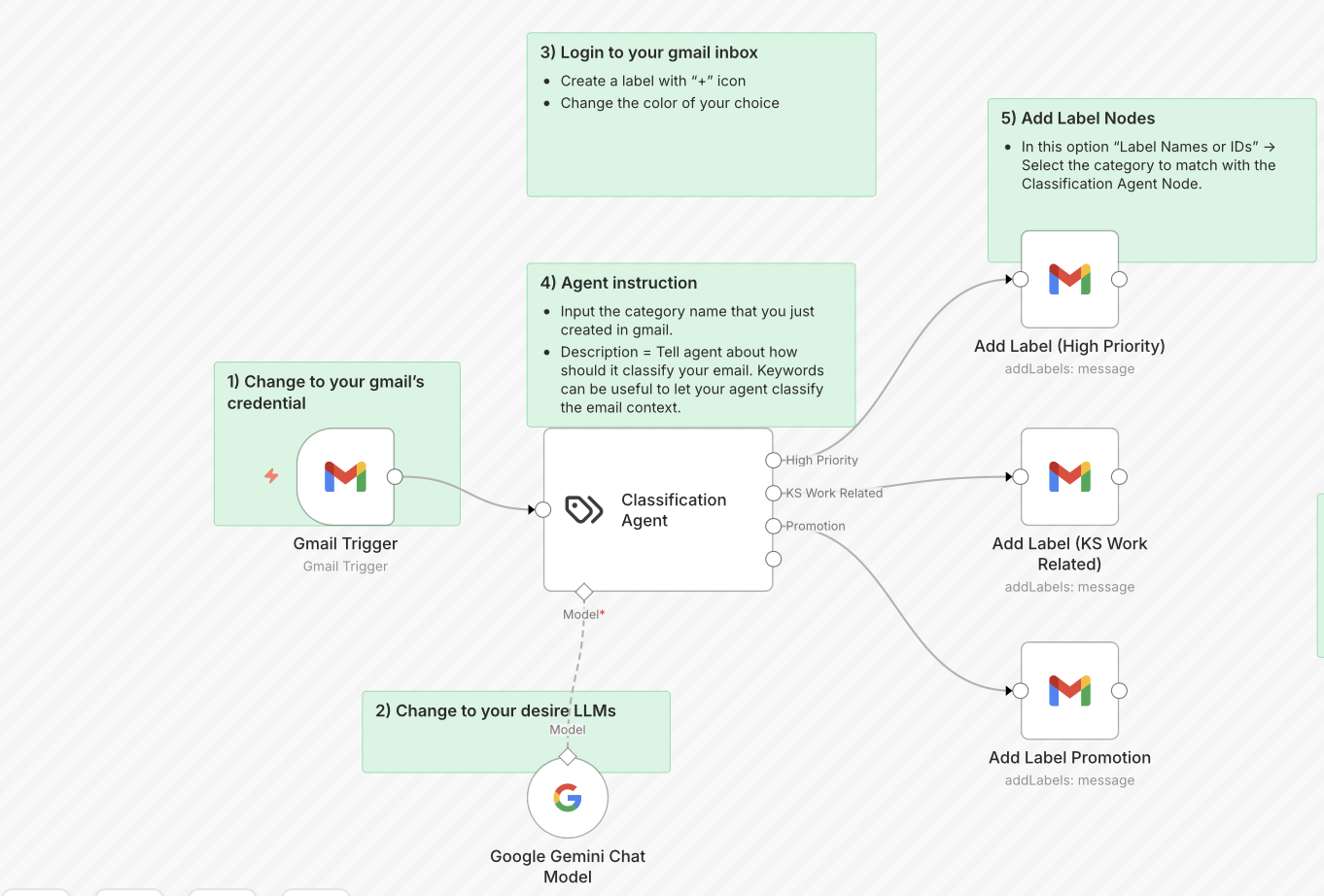
1. Gmail Trigger
Every new incoming email starts the automation without manual intervention.
2. Gemini Classification
The content is evaluated by Google Gemini so the workflow can decide what label is most appropriate.
3. Conditional Labeling
The workflow routes the email into high-priority, work-related, or promotional buckets.
4. Label Application
The correct Gmail label is applied automatically and the inbox stays structured going forward.
Workflow Blueprint
Need a workflow like this?
If you need this project or need this type of service, get in touch.
Get in touch